Send Us Your Cherwell Export
When we are troubleshooting an issue with your Cortex Archive or Cherwell (CSM) data, we may ask you to send us an export. In almost all cases this is a CZAR file, and typically we only need the structure / metadata from it - not your full data.
We would not normally ask you for a full database backup (BAK) of your Cherwell environment. If you need a full backup for your own purposes - for example, to hand your data over during setup - see Getting Your Cherwell Data.
CZAR file (structure / metadata only)
To work through a configuration or support issue, export a CZAR file from the Cherwell Admin client:
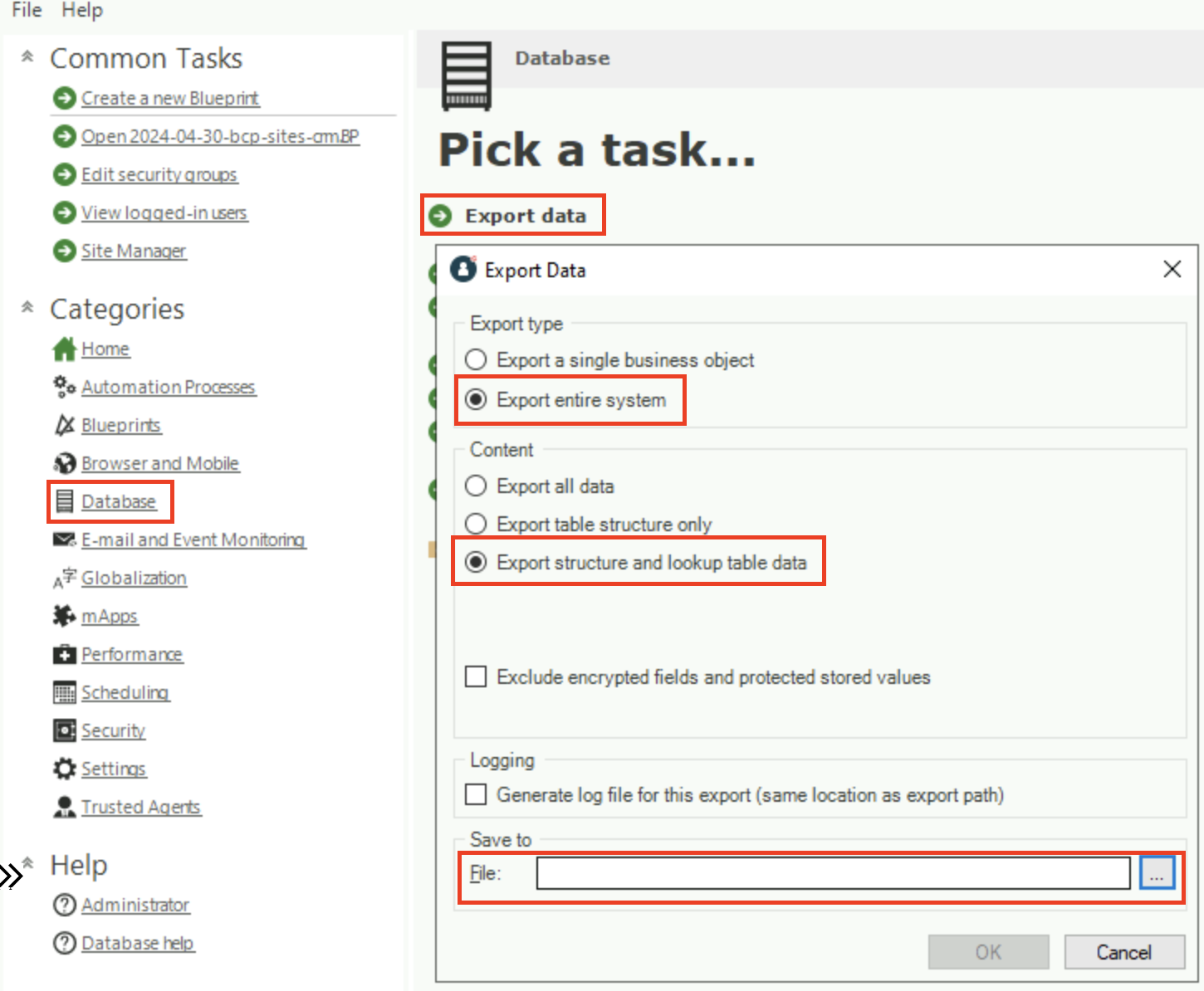
- In the Cherwell Admin client, go to Database settings and choose Export Data.
- Choose Export entire system and Export table structure only (structure/metadata only - no business data).
If lookup table data is needed for the issue and sharing it is permitted under your data security policy, choose Export structure and lookup table data instead. When in doubt, table structure only is the safest default.
- Choose a filename and click OK.
You can also run the same export from the command line using Ivanti's CLC /exportsystem tool, which is useful for scripted or unattended exports and works even when the license-gated Admin client is unavailable. See Export a CZAR from Cherwell via the command line.
Metadata export via the cz export utility
If a CZAR export is not viable for some reason, we may instead ask you to run a metadata export using our cz export utility. It exports the Cherwell schema with structure only (plus the Def table contents) — no business data:
cortex-util.exe cz export --data-source "<your Cherwell data source>" --structure-only --file cherwell-metadata.cze
The --structure-only flag is what makes it a schema/metadata export rather than a full one. We will point you to the exact command if this path applies to your situation.
Sending the File
CZAR files with structure/metadata only are small. If one is still too big to attach to an email, we can work with a OneDrive or Google Drive link, or we recommend Our Box Drive.