Show Cherwell form controls that sit outside the form area
Some Cherwell layouts have controls slightly outside the form area. By default, Cortex skips those controls when rendering archived Cherwell forms (replicating Cherwell's modern versions form rendering behavior) and writes a warning to the log so you can spot unexpected layout data.
Some customers may have valid controls sitting outside the form area, especially if they started on older content. Cherwell customers that started on newer content likely don't have controls outside the form area that they intended to render, and behaviorally may use the out-of-bounds space as a sort of 'archive' space for old form controls they no longer intend to display but weren't ready to delete.
If you need those controls to appear in the archive UI, you can enable that behavior via editing the Cherwell data source configuration.
Before you begin
- You need administrator access in Cortex.
- Open Admin → Data Sources → Edit Data Sources (or go directly to the Data Sources page).
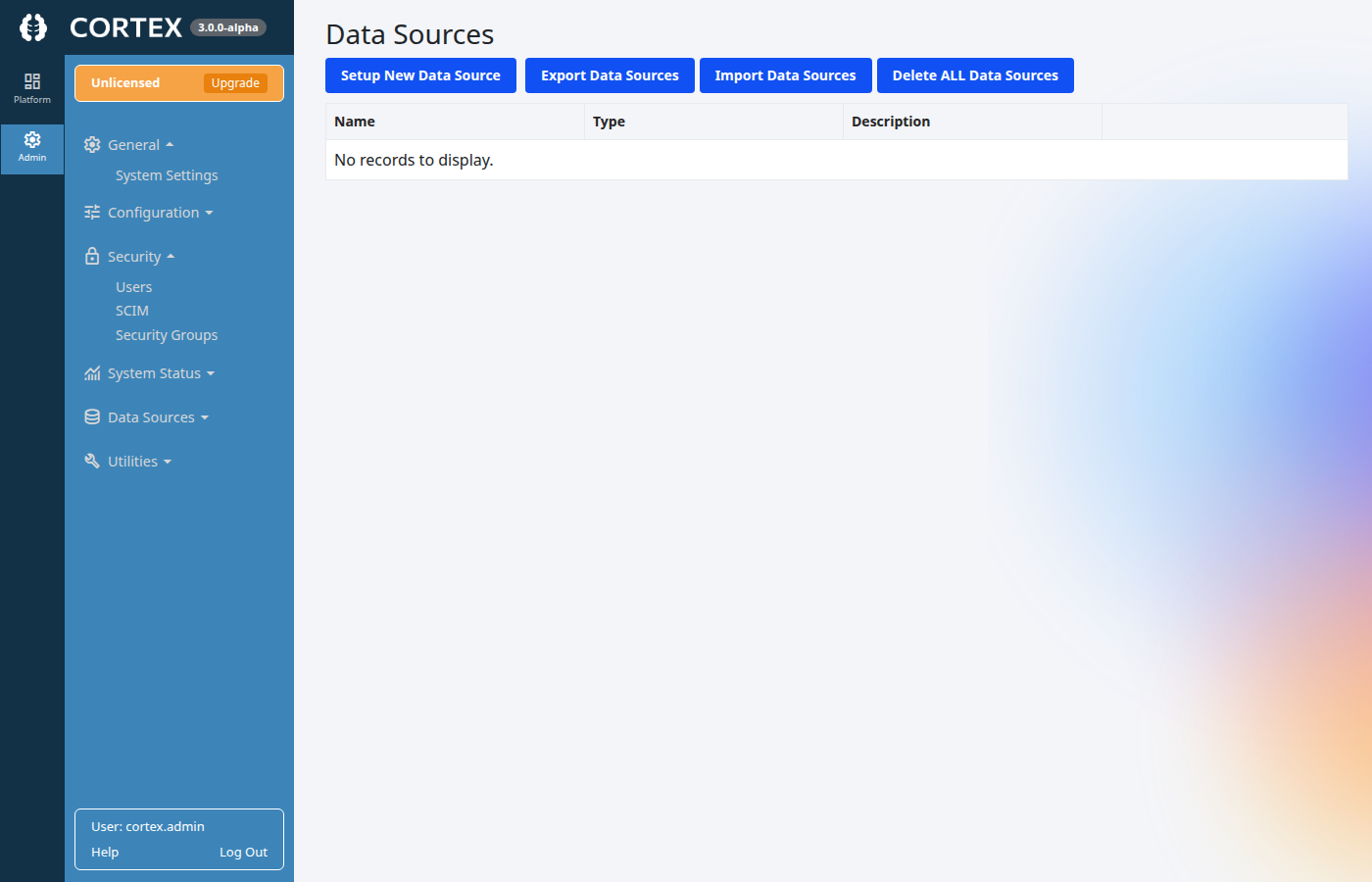
Configure the setting
-
On Data Sources, edit an existing Cherwell data source.
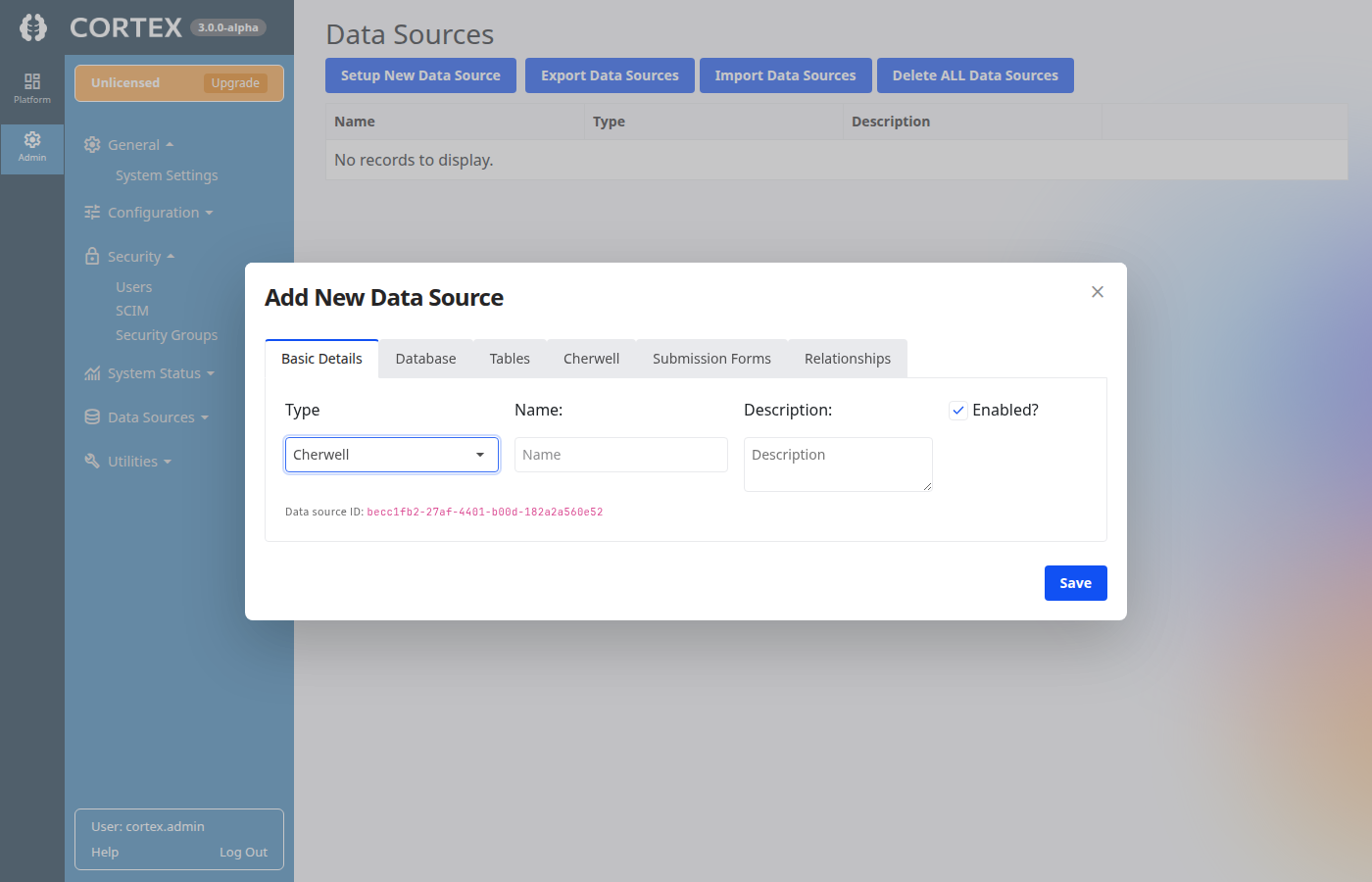
-
In the data source editor, open the Cherwell tab.
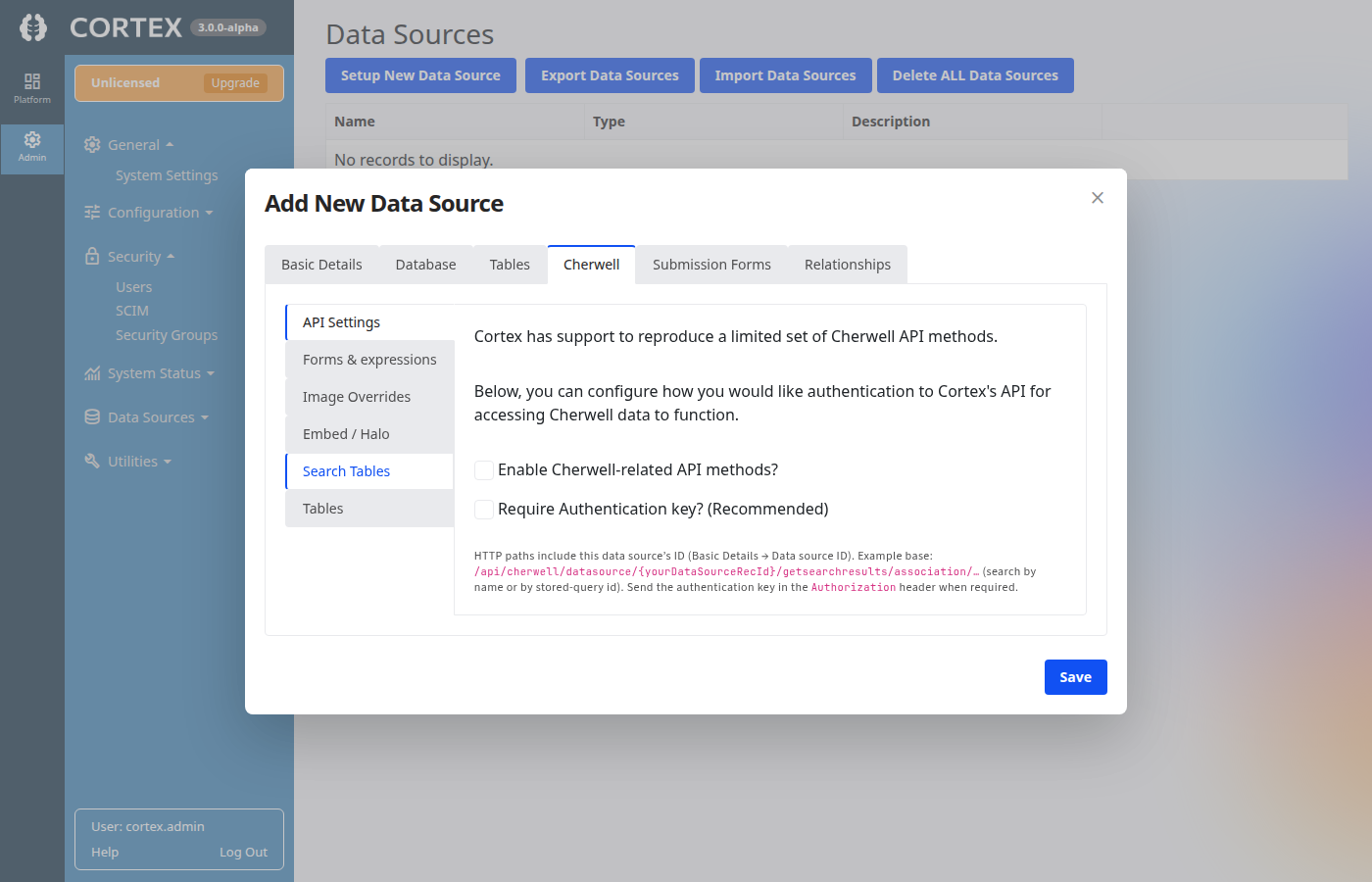
-
In the left-hand list, select Forms & expressions.
-
Under Form control boundary checking, enable Show controls outside form area?
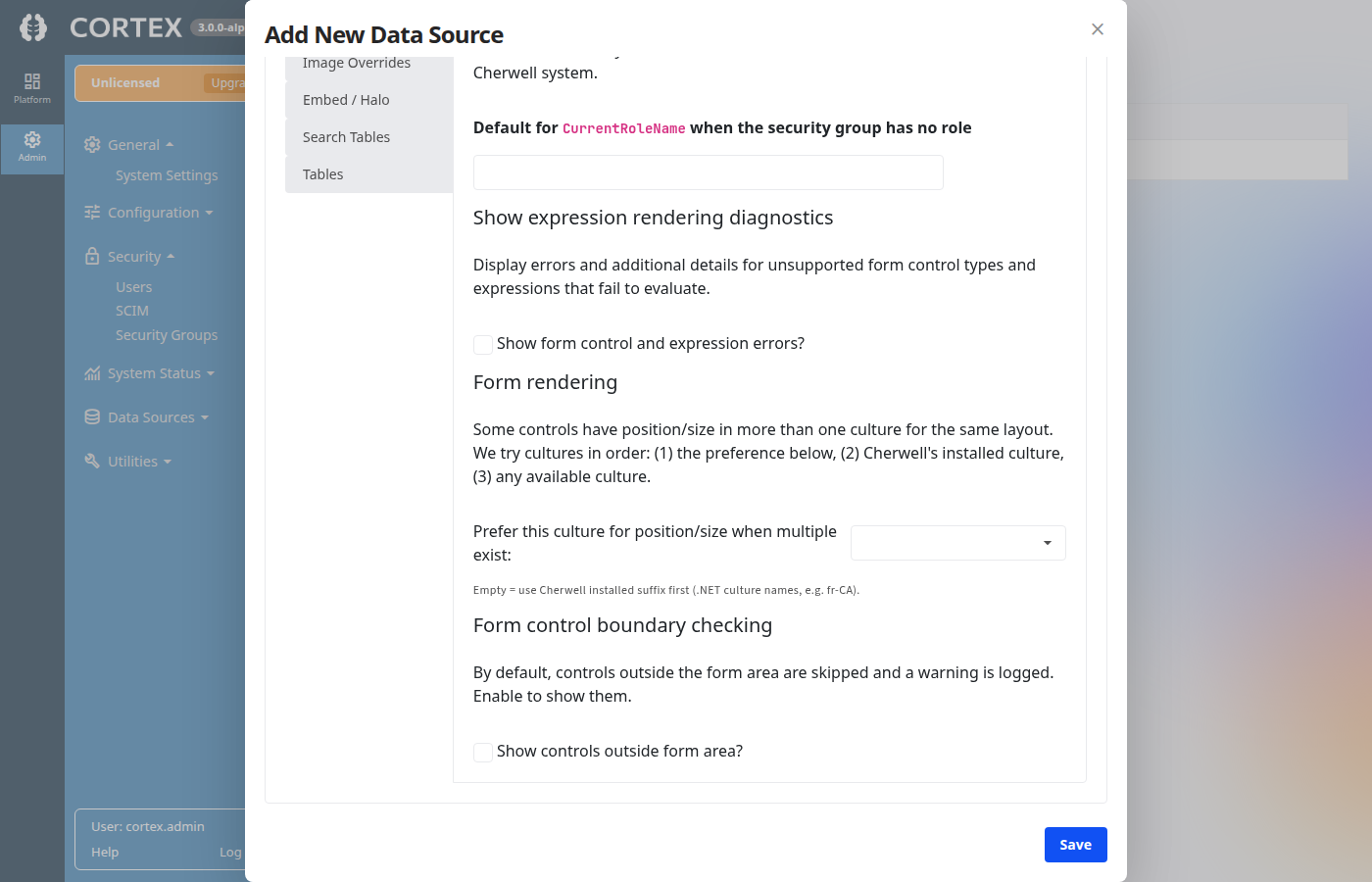
-
Click Save to persist the change.
What this changes
- Unchecked (default): Controls whose position or size places them outside the form bounds are not rendered; Cortex logs a warning when that happens.
- Checked: Those controls are included in the rendered form when Cortex can render their control type.
If you still do not see a control, it may be an unsupported control type or an expression/layout issue; the Show form control and expression errors? option on the same page can surface additional diagnostics while you troubleshoot.