Halo
Halo provides a way to create custom iframe tabs out of the box. Each Halo tab instance gets its own randomly generated iframe secret. During the embed handshake, Cortex verifies the tab using HMAC-SHA256 so only your configured tabs can embed Cortex content.
Starting in version 3.1.2, Cortex supports storing multiple iframe secrets on a single Cherwell data source. This lets you run several Halo custom tabs in different places - each with its own secret - against the same Cortex data source. Earlier versions support only one secret per data source; existing single-secret setups continue to work unchanged.
Configuration
- Create a new iframe tab (Configuration > Custom Objects > Custom Tabs)
with the appropriate URL. This URL should be
https://YOUR_CORTEX_URL/embed?object=BUSINESS_OBJECT&requester=REQUESTERwithBUSINESS_OBJECTreplaced by the name of the business object to list (e.g.Incident) and requester replaced with the appropriate variable that will contain a user's email address. This may be different depending on where you add the tab: for a new Ticket tab,$USEREMAILADDRESSis what you want, but there are other variables that may contain email addresses. - Under "Configuration > Tickets > Ticket Types", choose the ticket type(s) where you want to show this tab, then add your new tab under "Allowed Values > Custom Tabs".
- In Cortex, open your Cherwell data source and go to the Halo iframe embed settings. Add the secret from your Halo tab, with a label so you can tell it apart if you add more tabs later.
- If a Halo agent ID does not already match a Cortex username, email address, or Cherwell user record ID, add a mapping row from that Halo agent ID to the correct Cortex user. Cortex only needs a mapping when the agent ID does not resolve on its own - the Import from Halo button can pull mappings automatically where available.
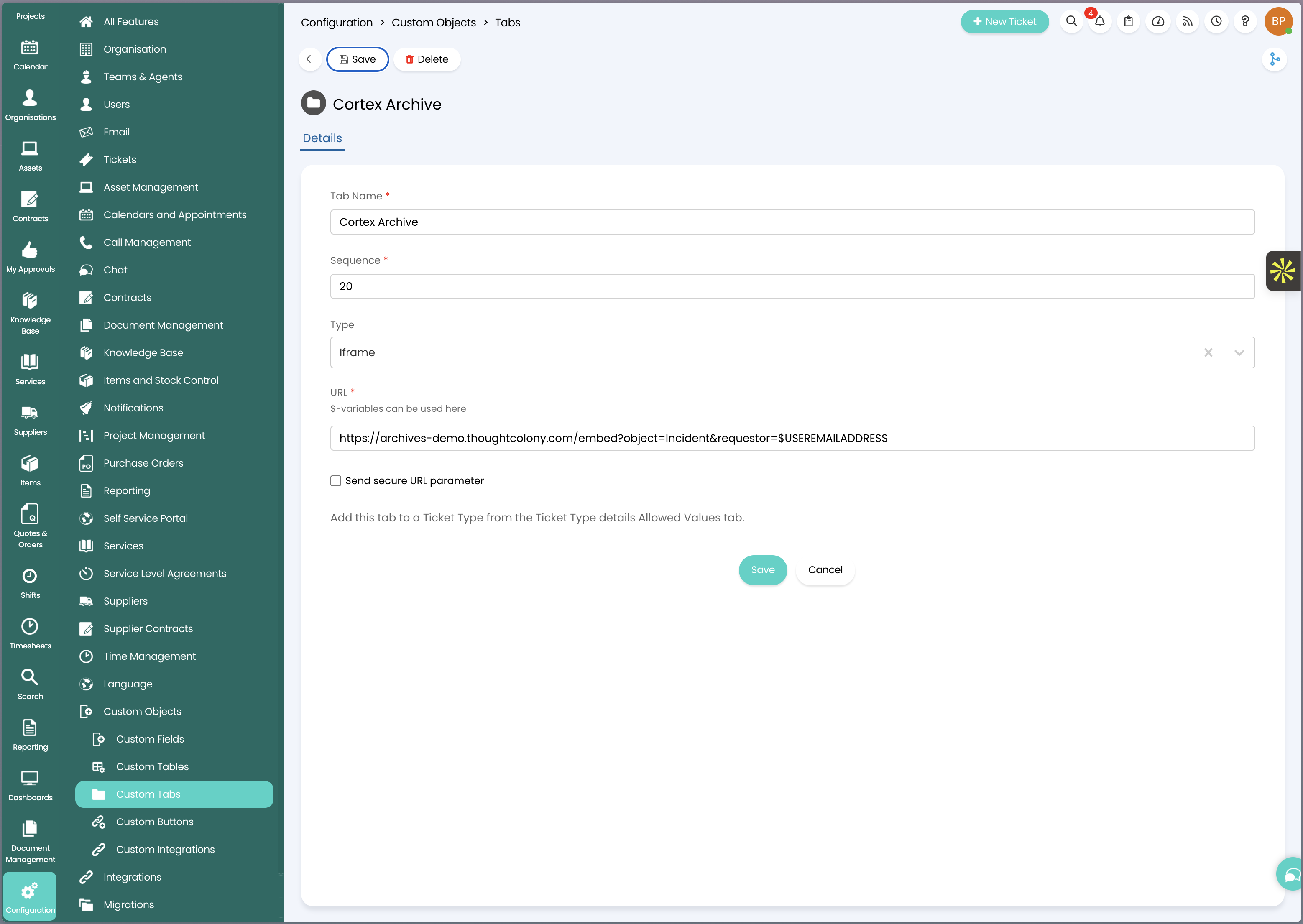
Multiple tabs, multiple secrets
If you run more than one Halo custom tab against the same Cortex data source, add each tab's secret separately in the Halo iframe embed settings, giving each one a label (for example "Tickets Tab", "Assets Tab"). Cortex checks each configured secret, along with each distinct Halo agent ID from your embed mappings, when verifying a request - so tabs with different secrets can all embed successfully.
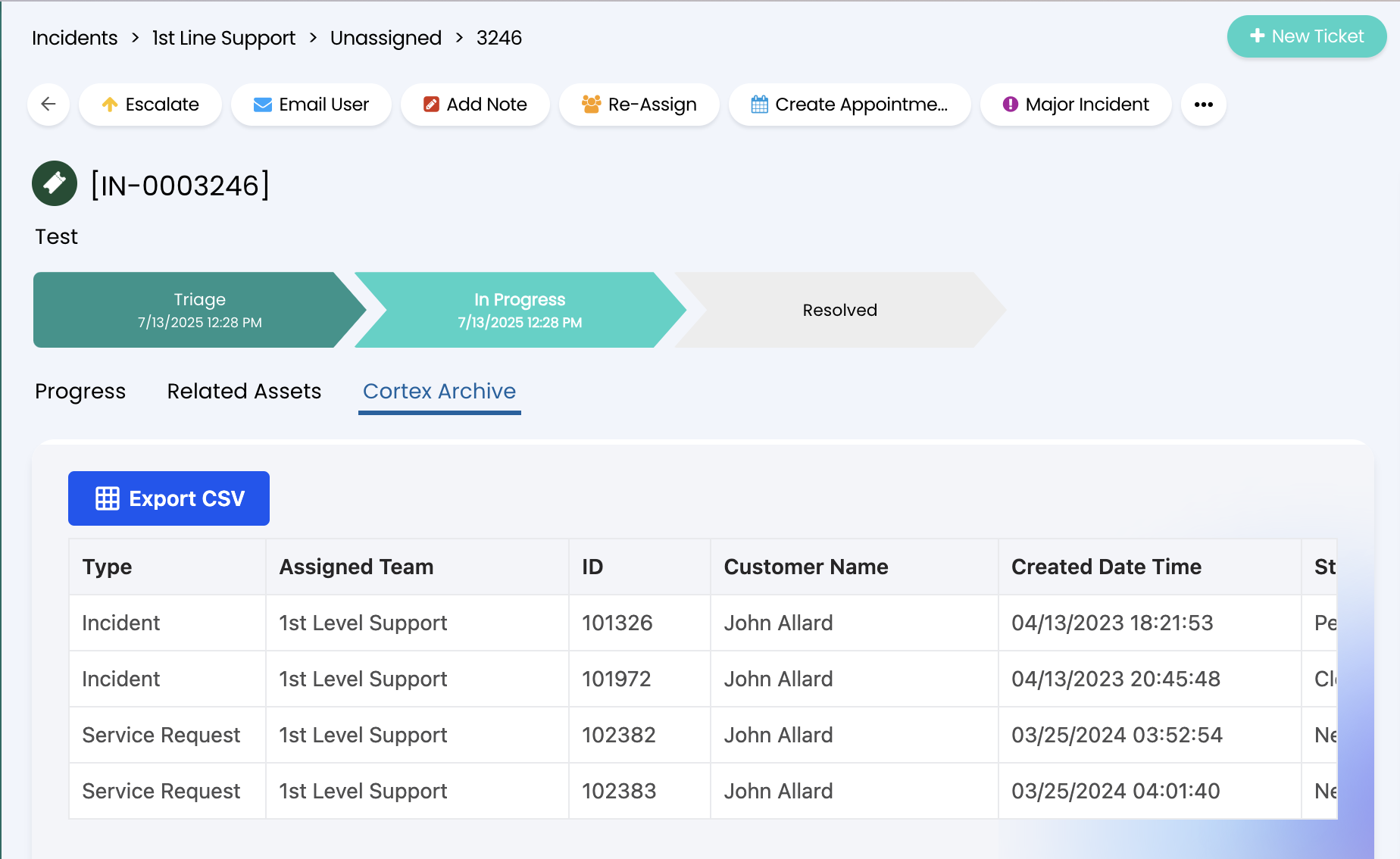
Result
Troubleshooting
- "no iframe secret is configured" - the data source has no secrets configured. Add one in the Cherwell data source's Halo iframe embed settings.
- "the token could not be verified" - none of the configured secrets produced a matching token. Double check each secret against the value shown in the corresponding Halo tab, and confirm the user is mapped correctly.
- "no Cortex user could be resolved" - the Halo agent ID does not match a Cortex username, email, or record ID, and has no mapping row. Add a mapping, or create/import the user.
- "not licensed for API embed access" - your Cortex license does not include embed/API access. Contact your account manager.