Adding Users
Internal users can be created and managed from the User Management page.
Accessing User Management
- Navigate to the left-hand navigation menu.
- Select Admin
- Click User Management
You will see a screen similar to the following:
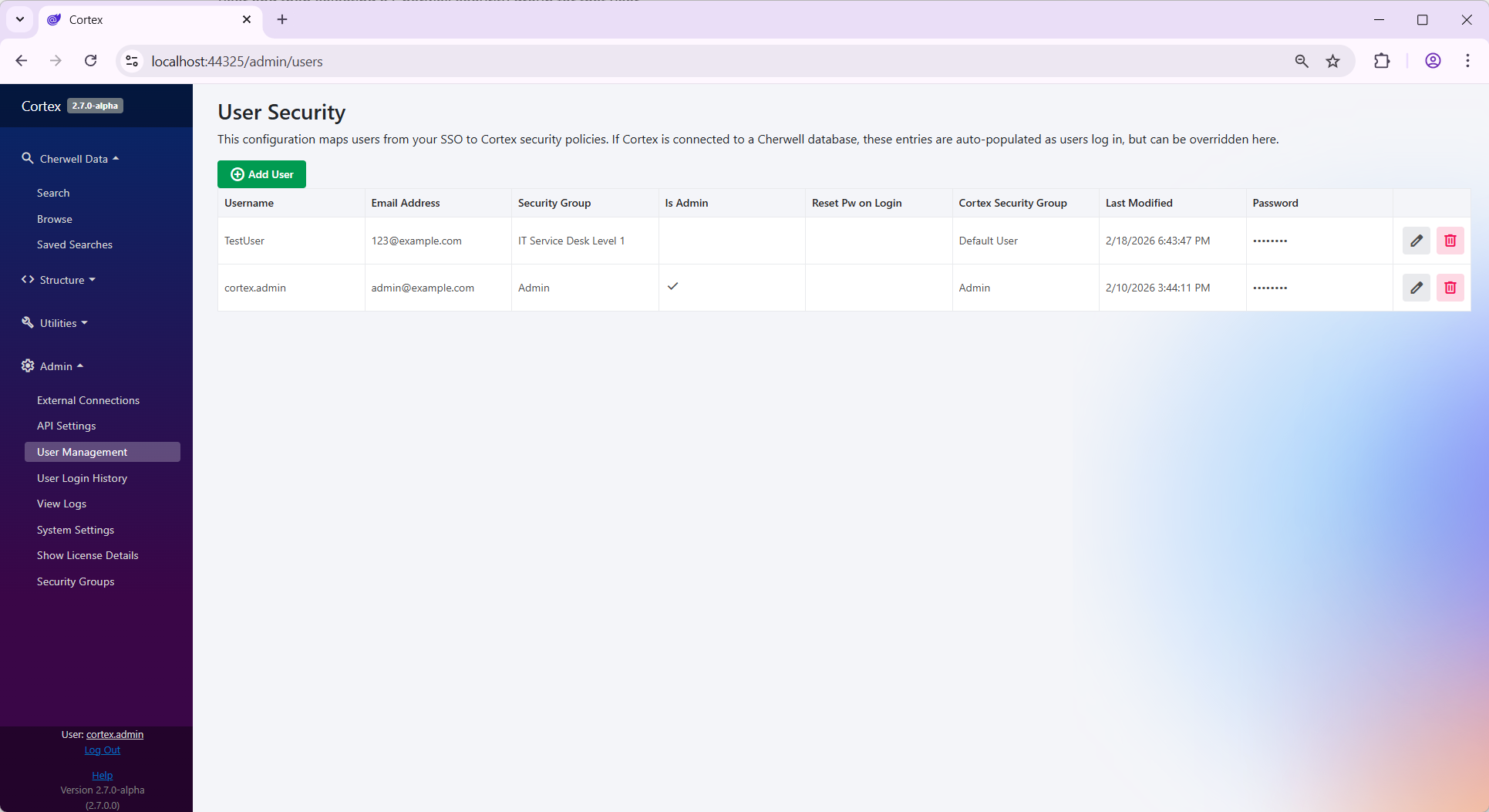
Creating a New User
To manually create a new internal user:
- Click the Add User button.
- Enter a Username / Email Address.
- Assign appropriate Security Groups.
- Save the user.
Once saved, the user will be able to sign in using Internal authentication.
If the User Already Attempted Login
If a user has already attempted to sign in to Cortex, they will automatically appear in the Users list.
However, they will not be able to see records until they are assigned a Cherwell Security Group.
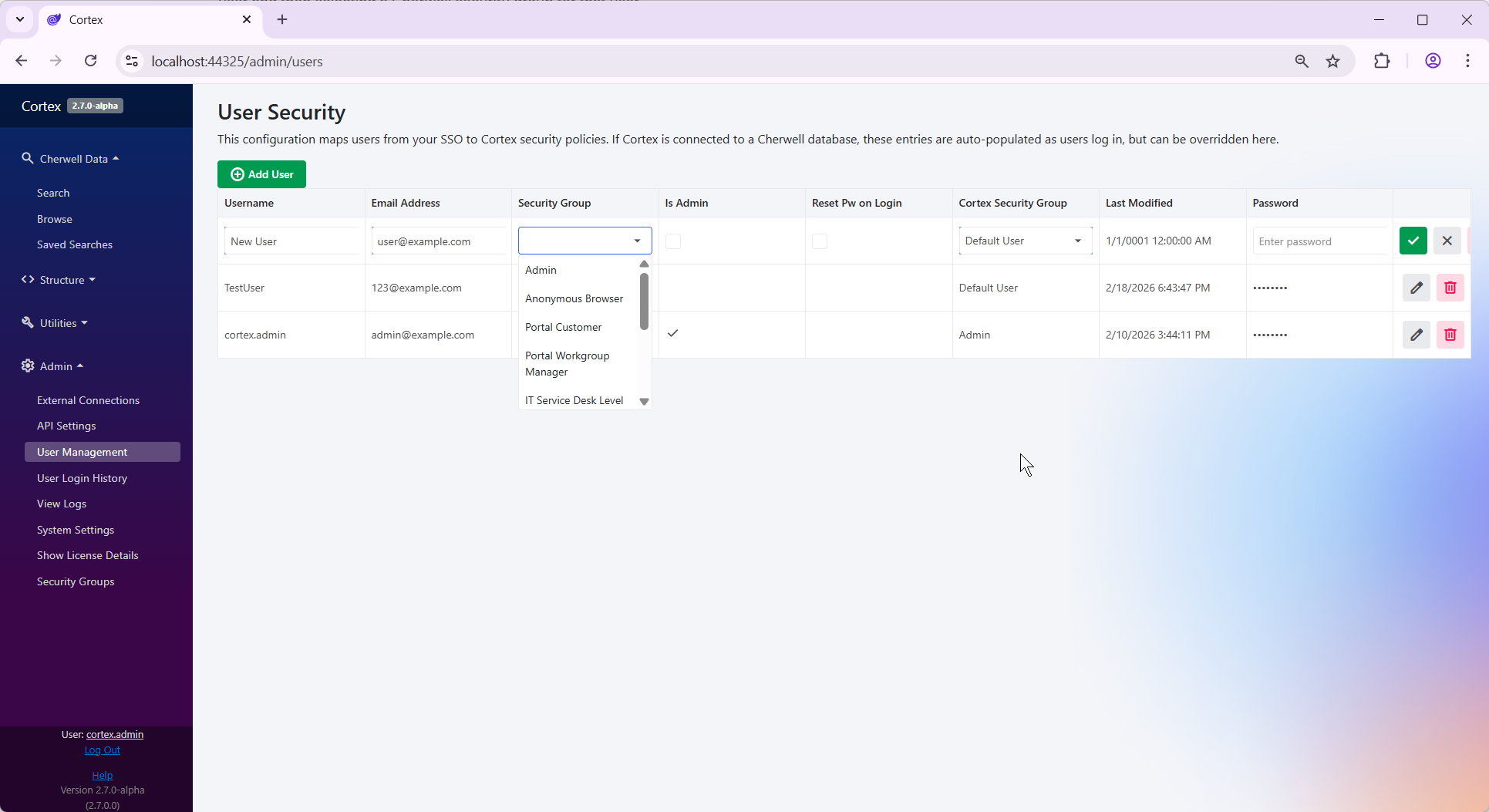
To assign security groups:
- Click the Edit icon next to the user.
- Assign the appropriate security groups.
- Save changes.
The screen will look similar to this:
Understanding Security Groups
There are two different types of security groups that can be assigned to users:
Cherwell Security Group
- Pulled directly from your Cherwell database.
- Controls access to Cherwell data.
- Determines:
- Which tables a user can access
- Record-level conditions
- Data visibility permissions
- These configurations are read-only within Cortex.
Cortex Security Group
-
Controls permissions specific to Cortex functionality.
-
Examples include:
- Ability to define global saved searches
- Access to Cortex-specific features
-
These security groups are configurable under:
Admin -> Security Groups
By default, most non-admin users can be assigned to the Default User Cortex security group.
Important Notes
- Users must have a Cherwell Security Group assigned before they can access data.
- Cortex Security Groups control Cortex behavior only - not Cherwell data access.
- Cherwell permissions always originate from the Cherwell system itself.